
Artifact #1: ROADMAP Job Aid
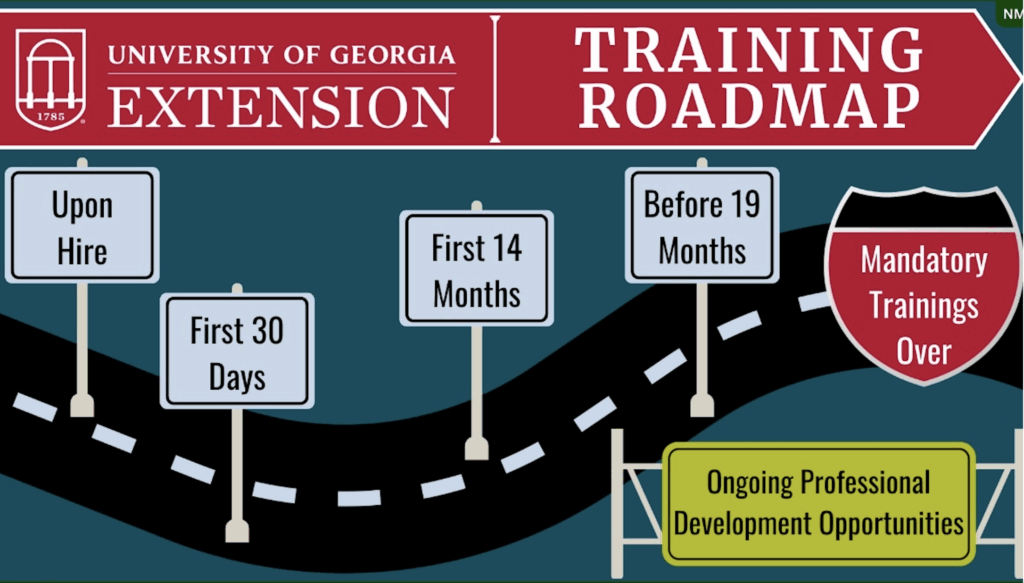
My Contributions
- Primary Stakeholders & Evaluation Plan in Final Report
- Graphic Design that were adapted into Interactive PDF
- Alternative Text
- Style Guide
- Presentation
- Resource Collection
Summary
In EDIT 7550E: Management of Instructional Technology Projects, taught by Dr. Branch, I’m proud of the final result our ROADMAP Team created, in which I served as the Assistant Project Manager as well as the informal graphic designer and accessibility consultant.
It was tricky at first to fill my niche as the Assistant Project Manager, especially since our Project Manager was so highly effective in organizing and assigning tasks and timelines. Eventually, I decided that I could be most useful by researching, organizing, and distributing information and content.
First, after the project manager and I took charge in client communication, I decided to thoroughly evaluate the resources our client provided us with by taking notes on a shared Google Doc with nine different tabs for each main resource. Such resources included components like WCAG Compliance, About UGA Extension, several LMS and Articulate modules that provided introductory Extension information and other training, and style guides and branding. It was this data, such as the timeline of Extension agent training that I pieced together based on the LMS training course, that allowed our team to begin to move forward with prototypes, where we started to visualize how to aesthetically portray the timeline on a job aid. During this process, I studied the UGA and UGA Extension style guide created a shared style guide. I then encouraged them to experiment with color combinations that would look best in our job aid.
Once we analyzed our prototypes and chose the best components, I took charge of the visual design and pieced together more thorough prototypes in Canva, making multiple examples of different color schemes based on the UGA style guide. Although I oversaw the main page, I assigned the separate pop-up windows and tables to other group members, keeping tabs on their progress and offering both visual design and accessibility advice. Regarding accessibility, I stressed the importance of accessibility to the team, giving a breakdown of the most applicable WCAG standards in one of our group meetings, which led my other group members to monitor items such as color contrast, font size, non-click-based keyboard navigation, and more. Near the end of the project, I wrote alternative text for each graphic element that my team member then incorporated into InDesign.
In final project phase, I collaborated with my team members in dividing up the final report, tackling the primary stakeholders section, evaluation plan, and client recommendations—which included advice such as distributing timely surveys and evaluating the UGA style guide, as certain fonts were not WCAG-compliant. I also took charge of our final presentation, collaborating with another group member on how to divide the sections for both completing the PowerPoint slides and presenting in a recorded video. After editing the video in DaVinci Resolve and uploading it to YouTube, our project was complete.
This was a great experience in both constantly collaborating with my team members and clients and getting to manage and share resource collection, visual design, and accessibility.
Artifact #2: Client Maneuvering
Summary
Although I’m referring to the same project as I did in the first half of my “Analysis” theme (in in EDIT 7150E: Principles of Human Performance Technology and Analysis, taught by Dr. Stefaniak), I believe the real-life client communication and management was one of the most useful aspects I learned. As Dr. Stefaniak noted at the beginning of the semester of “Human Performance Analysis,” there was usually one group with client difficulties that faced certain “emergency situations.” We, ultimately, were that group, and although it was stressful at the time, I’m now grateful for the experience. Although I wished for more data and communication, I believe it was more authentic to have to adapt in real time to changes in our plans and expectations.
The issues we ran into were multi-faceted, and I now know how I’ll handle myself better in the future. The first problem was that our client disappeared for long stretches of time, which had our group convinced we may need to redirect our project, but when the client returned, they cited the hectic nature of their business as the reason for the delay (which gave us more data for our needs analysis!). The second problem was the sparse amount of data we were able to analyze, which I partially contributed to—in the survey I created, I thought I had explained myself clearly that it was intended for a certain population, but I didn’t follow up to confirm her understanding after the first signature, which led to the distribution of the survey to a related but different population. The third problem was that we never received access to the existing training—in the end, however, I spun this as a positive and included in my recommendations that cold call training (or a more detailed job aid) should be offered.
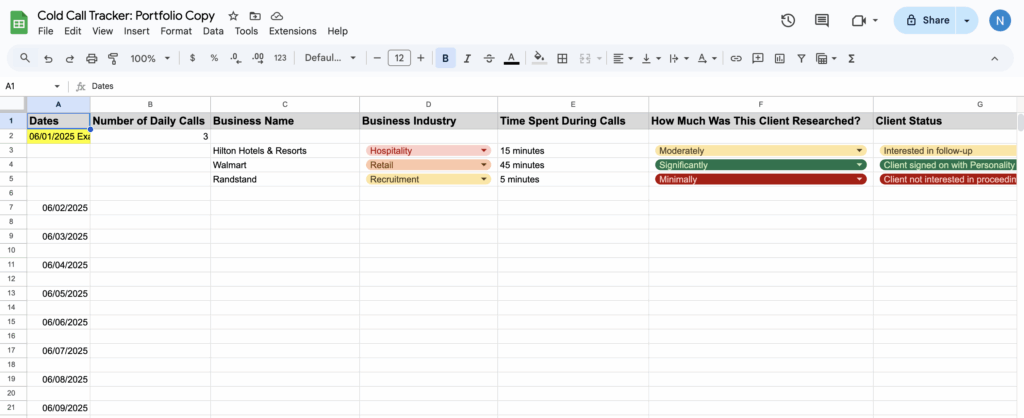
In the end, I’m glad about how adaptable this project taught me to be. To go beyond even what we originally promised, since I noticed that they had no formal tracking of their cold calls and cold emails to share with us, I personally reached out to the clients and offered spreadsheet templates I created to track cold calls and cold emails, explaining the specific widgets, which they appreciated! The project ultimately ended on a good note.